
Capital One Mobile
Capital One Services, LLCFinance
4.5666.29K Reviews
- Version
- 6.55.5
- Installs
- 50.00M
- Age Rating
- Everyone
Screenshots
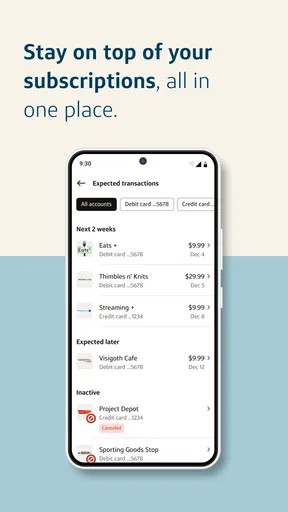
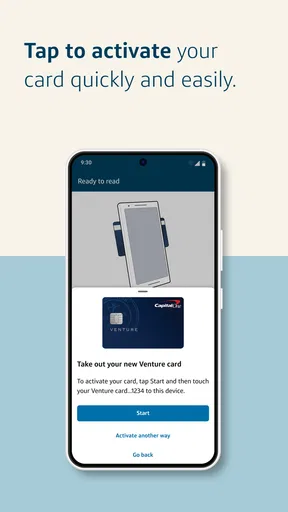
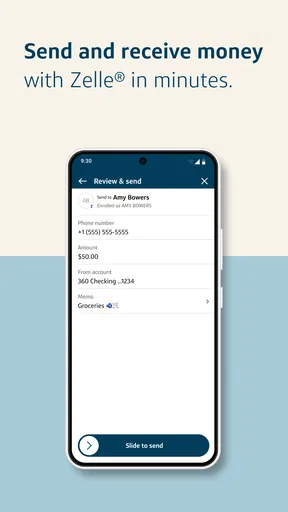
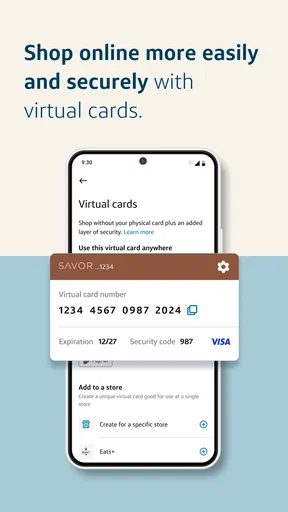
Our Review of Capital One Mobile
 Analysis by Appyee
I think Capital One Mobile is most useful when you already handle your finances through Capital One and want routine tasks close at hand. It puts account management and practical card controls on a phone, rather than trying to replace every budgeting or banking tool you might use. That focus is a strength, although it also means the app makes the most sense for existing customers, not someone looking for a bank-independent money dashboard.
It is a free finance app from Capital One Services, LLC, and its central appeal is convenience: checking account activity, paying bills, locking a card, and depositing a check without turning each task into a trip to a branch or a call. I see it as a useful companion to a Capital One account, especially for people who prefer quick mobile access over managing everything on a desktop.
Where the app earns its place
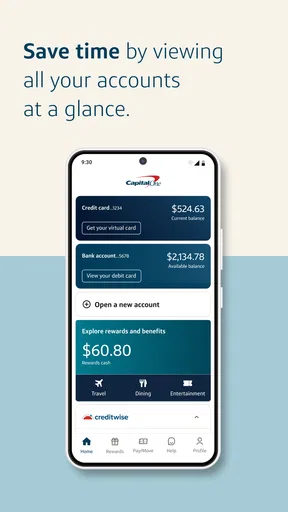
The strongest case for using it is the way everyday banking actions sit together. If I want to review an account and then deal with a bill or a card, I can do both within the same institution’s app. That is more direct than opening a general finance tracker, checking a balance there, and switching to a separate banking app to take action. The convenience is not flashy, but it can save little bits of time throughout a week.
A realistic example is getting a reminder that a bill is due while I’m away from home. I can open the app, review the account, and handle the payment there rather than waiting until I’m back at a computer. If I misplace a card, the lock control gives me a way to respond from the phone while I look for it. Those are practical moments when mobile access is more than a smaller version of a website.
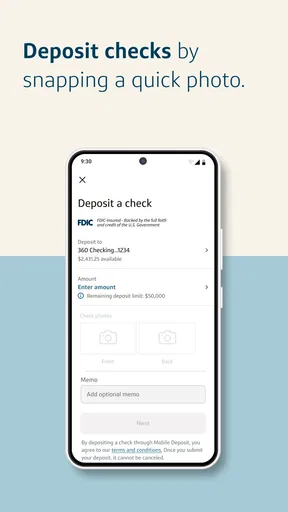
Check deposit is another useful fit for people who still receive paper checks. Being able to start that task from a phone can make an occasional payment less of an errand. I would still take care to follow the in-app instructions and keep the check until the deposit is handled as directed; mobile convenience does not mean I should treat a financial transaction casually.
The app has a 4.5 average from around 1.7 million ratings, and it has been installed over 10 million times. Those figures suggest it is a familiar option for many customers, though popularity alone does not guarantee that its layout or account tools will suit every person. It is rated for Everyone, is free, and its current version is 6.35.2. The app first appeared on July 29, 2011, and it requires Android 11 or later. Its long history and broad use make it a well-established mobile-banking choice, but the features that matter most to you should still determine whether it fits.
Convenience has boundaries
I would not mistake a banking app for a full personal-finance system. If your main goal is to compare spending across several banks, build a detailed household budget, or see all your accounts in one independent place, a dedicated finance tracker may be a better starting point. A bank’s own app is naturally centered on that bank’s services. That can make transactions easier to manage there, but it is not the same as having a neutral overview of your entire financial life.
There is also a basic dependency: you need a Capital One account to get the most from the app. If you bank elsewhere and only want a general tool for tracking money, installing it is unlikely to solve that need. And even for customers, a phone is not always the best place to sort through a complicated issue. A small screen is convenient for a quick check or a simple action, but when I need to compare details or understand a difficult account question, I may prefer a larger screen or direct support.
Mobile controls are helpful, but they should not replace sensible account habits. I would protect access to the phone, use available sign-in safeguards, and check transaction details before confirming a payment or deposit. A quick interface can reduce friction, yet financial actions still deserve a moment of attention. I also would not assume that every alert or summary tells the whole story; the account activity itself is the place to review when something looks unfamiliar.
Who will get the most from it
This is a strong fit for Capital One customers who often check balances, handle bills, or want a quick way to manage a card while away from home. It is particularly convenient if you value taking care of small banking jobs as they arise rather than saving them all for a desktop session. The card lock and check-deposit options make the app relevant in specific situations, not just as a place to glance at a number.
For someone deciding whether to rely on it day to day, I’d start with a simple routine: use it to review recent activity, make one ordinary payment, and locate the card controls before an urgent moment. That gives you a feel for how the app organizes the tasks you actually need. It is better to learn where the important controls are when you have time than to search for them after noticing a misplaced card.
I would skip it if you do not have a Capital One relationship, or if you expect one app to combine every account and offer deep financial planning. In those cases, your existing bank’s app or a separate multi-account budgeting tool is likely to be more useful. Choosing the right option depends less on how many features an app has and more on whether it lets you complete your own common tasks without workarounds.
Compared with the usual alternatives in finance apps, this one is best understood as a bank-specific service rather than a universal money manager. A general budgeting app can be better for categorizing spending across institutions; a desktop banking site can be more comfortable for detailed review; and a branch or phone support may be preferable when an issue needs a person’s help. The mobile app’s advantage is having account access and certain actions together when I need them, not replacing every other channel.
Getting Started with Ease
First off, downloading and setting up Capital One Mobile is a breeze. The app is available for both Android and iOS, so you're covered no matter what device you're using. Upon opening it, you’re greeted with a clean and intuitive interface. Signing in is straightforward, and if you have a Capital One account, you’re practically ready to roll.
The onboarding process is smooth, guiding you through all the features without overwhelming you. It’s like having a friendly guide that shows you around without being pushy.
Navigation and Features
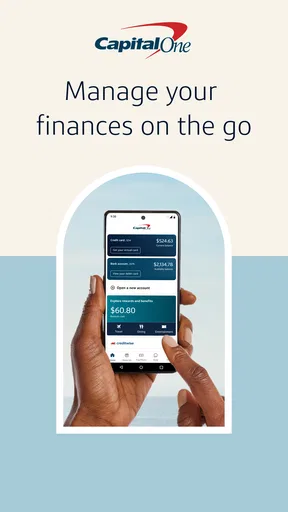
Once inside, you’ll notice that everything is just a tap away. The app is designed to make banking tasks simple and quick. Need to check your balance? Just tap. Want to pay a bill? Another tap. It feels like the app anticipates what you need and delivers it with minimal fuss.
One of my favorite features is the real-time alerts. You get notified about transactions as they happen, which is a game-changer if you’re trying to keep track of your spending. Plus, the app’s security features are top-notch, with fingerprint and facial recognition options to keep your info safe.
Personalized Financial Insights
What sets this app apart is its focus on providing personalized financial insights. It helps you understand your spending habits with easy-to-read graphs and charts. It’s like having a financial advisor in your pocket, without the hefty fees.
Want to save for something special? The app’s savings tools allow you to set goals and track your progress. It's surprisingly motivating to see your savings grow over time.
Customer Support and Community
In case you hit a snag, the app offers robust customer support options. You can chat with a representative right from the app or find answers in the detailed FAQ section. And if you’re someone who likes to learn from others, the app’s community feature lets you connect with other users to share tips and tricks.
Capital One Mobile also integrates well with other financial apps, giving you a holistic view of your finances in one place. It’s like having a personal finance command center at your fingertips.
My verdict: I’d recommend it to a friend who already uses Capital One and wants straightforward mobile access to everyday account tasks. The main trade-off is its bank-centered scope: it is most valuable within that relationship, while people who need broad budgeting or cross-bank planning may prefer another tool alongside it. For quick account checks and practical actions on the move, it has a clear purpose and can earn a regular place on your phone.
Privacy and Permissions
See what permissions an app requests and how it handles your data.
- Calendar
- read calendar events plus confidential information, add or modify calendar events and send email to guests without owners' knowledge
- Contacts
- read your contacts
- Location
- approximate location (network-based), precise location (GPS and network-based)
- Phone
- read phone status and identity
- Camera
- take pictures and videos
- Wi-Fi connection information
- view Wi-Fi connections
- Device ID & call information
- read phone status and identity
- Other
- view network connections, change network connectivity, full network access, control Near Field Communication, run at startup, reorder running apps, control vibration, prevent device from sleeping
Verdict
Strengths of Capital One Mobile
- User-friendly interface for easy navigation.
- Real-time alerts for account activity.
- Quickly lock and unlock cards in-app.
- Comprehensive credit monitoring tools.
- Secure login with Face ID or Touch ID.
Limitations of Capital One Mobile
- Limited international transaction features.
- Occasional connectivity issues reported.
- Lacks budgeting tools integration.
- No cryptocurrency account support.
- Some minor bugs in recent updates.
Other Releases by Capital One Services, LLC
View All
CreditWise from Capital One
Finance4.6

Capital One Travel
Travel & Local4.7

Auto Navigator New & Used Cars
Auto & Vehicles4.8
Similar Picks in This Category
View All
Google Wallet
Google LLC4.3

Airtel: Recharge, Bank & Loans
Airtel4.0

PayPal - Pay, Send, Save
PayPal Mobile4.2

DANA Indonesia Digital Wallet
PT Espay Debit Indonesia Koe4.5

Binance: Buy Bitcoin & Crypto
Binance Inc.4.8

Cash App
Block, Inc.4.7
Frequently Asked Questions
What features does the Capital One Mobile app offer?
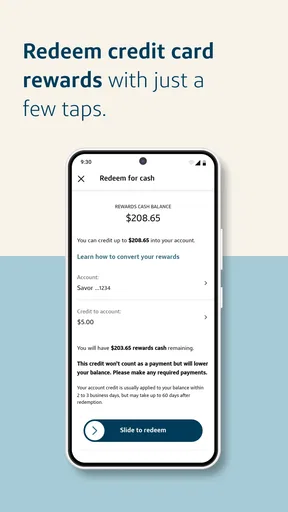
The Capital One Mobile app provides a comprehensive set of features including account management, transaction tracking, bill payments, and credit score monitoring. Users can also set up alerts, manage rewards, and find nearby ATMs. Additionally, the app supports mobile check deposits and offers a secure login using biometric authentication.
Is the Capital One Mobile app secure to use?
Yes, the Capital One Mobile app is designed with multiple layers of security to protect your personal and financial information. It includes features like multi-factor authentication, fingerprint or facial recognition login, and real-time fraud alerts. Capital One also employs encryption and regular security updates to maintain user safety.
Can I use the Capital One Mobile app to manage multiple accounts?
Absolutely. The Capital One Mobile app allows users to manage multiple accounts seamlessly. Whether you have checking, savings, credit cards, or loans, you can view balances, make payments, and transfer funds between accounts all within the app. This makes financial management much more convenient and streamlined.
How user-friendly is the Capital One Mobile app for new users?
The Capital One Mobile app is designed with a user-friendly interface that makes navigation simple, even for new users. It features an intuitive layout with easy access to essential functions like account overview, payment options, and customer support. Additionally, the app provides helpful guides and tips to assist users in getting started.
What should I do if I encounter issues with the Capital One Mobile app?
If you experience any issues with the Capital One Mobile app, you can access the in-app support feature for troubleshooting tips and FAQs. You can also contact Capital One customer service directly through the app for personalized assistance. Regular updates are recommended to ensure optimal app performance and access to new features.
